
Toki Mahjong Games For Seniors
Card Games, IncBoard
4.6496.00 Reviews
- Version
- 1.3.0
- Installs
- 1.00M
- Age Rating
- Everyone
Screenshots
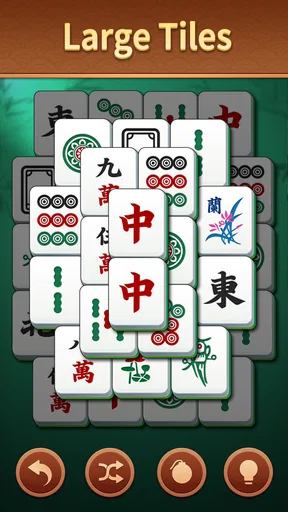
Our Review of Toki Mahjong Games For Seniors
 Analysis by Appyee
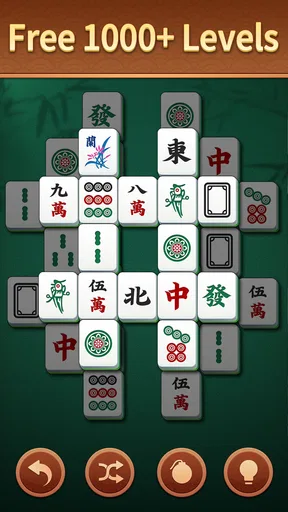
I found Toki Mahjong Games For Seniors most appealing in the kind of situation where a phone or tablet is shared around the house. One person can pick it up for a quiet puzzle session, leave it on the table, and another family member can continue later without needing a complicated setup. The game belongs to the board category and focuses on matching mahjong tiles, so the basic idea is immediately understandable: look for available pairs, clear the layout, and enjoy a slower mental challenge.
That simplicity is the main reason I would recommend trying it. I do not need to learn a long rulebook before playing, and the familiar tile-based format makes it suitable for relaxed sessions rather than intense competition. At the same time, the title’s reference to seniors should not make you assume it is only for older players. I see it as a casual puzzle game for anyone who likes visual matching, gentle concentration, and a pace they can control.
How it fits into a shared household
In my experience, this is the sort of game that works well on a device kept in a living room or kitchen. Someone waiting for an appointment, taking a break after lunch, or winding down in the evening can play for a while without committing to a full multiplayer match. A relative who does not usually play action games may feel more comfortable with it because the central task is visible on the screen and does not depend on quick reactions.
The shared-device angle also changes how I judge it. With a competitive board game, I would want clear turn handling, separate players, or a way to protect each person’s progress. Here, I treat it more like a personal puzzle that happens to live on a common device. That means I would agree in advance about whether each person gets a separate turn or whether the household simply plays one puzzle together. The game itself should not be treated as a family account system unless the device and operating system already provide that separation.
A practical routine is to let one person solve a layout independently, then invite another person to help when the board becomes difficult. This turns a solitary matching game into a small conversation without pretending that it is a formal cooperative mode. One person can scan the left side while another checks the center, but I would avoid tapping quickly over each other’s suggestions. The best shared experience comes from discussing a possible pair first and then letting one player make the move.
That approach also reveals a useful strength: the game can be social without requiring everyone to be a dedicated gamer. A grandparent, partner, or child can offer ideas from the sofa, while the person holding the device remains responsible for the actual moves. It is a modest form of coordination, but it feels natural for a puzzle built around observation rather than speed.
What the first session feels like
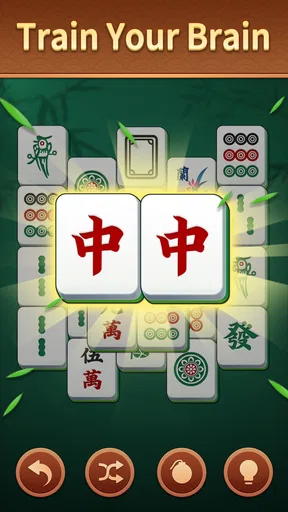
The store summary presents the game as a way to train the brain and relax through large-tile mahjong puzzles. I think the large-tile emphasis matters most when the device is being viewed by more than one person. Bigger visual elements are easier to follow from a short distance, and they make it simpler for a helper to point out a possible match. I would still choose a comfortable screen and good lighting, especially for anyone who finds small patterns tiring.
The opening experience is best approached without rushing. I spend the first few minutes learning how the tiles are arranged and noticing which pieces are exposed. That is more useful than immediately searching for a perfect sequence. In a household setting, I would let the less experienced player explore first instead of taking over. The game’s low-pressure format makes it suitable for learning by doing.
One non-obvious tip is to treat the board as a conversation map. Rather than asking, “Which two tiles match?” I would ask, “Which tile is blocking the most choices?” That question encourages better planning and helps a new player understand why one move can be more valuable than another. It also gives family members a way to participate without needing to know mahjong terminology.
Keeping expectations clear on one device
Before several people use the same phone or tablet, I would establish a simple boundary: decide whether a puzzle belongs to one player or to the whole household. This matters because a well-meaning helper can accidentally change the board or spend a useful move. If the device is passed between people, saying “watch only” or “your turn now” may sound obvious, but it prevents small disagreements.
I would also avoid assuming that a shared device means shared progress. Unless the game visibly offers separate profiles or another clear way to distinguish players, I would not use it as a record of individual performance. The safest household habit is to enjoy the current puzzle and keep personal goals informal. If someone wants a private session, they should use their own device or wait until the shared screen is free.
This is especially important when a child and an older adult use the same device. The content rating is Everyone, which makes the game broadly suitable from an age-rating perspective, but that does not automatically settle every family preference. An adult may still want to supervise how purchases are handled, how long the device is used, and whether the player needs help with the interface.
Playing comfortably across ages
Toki Mahjong Games For Seniors is most convincing as a calm visual exercise. I like that the central challenge can be understood without fast movement, complicated controls, or a competitive opponent. For an older player who enjoys pattern recognition, it may provide a pleasant daily ritual. For a younger player, it can work as a short break from more demanding games, although someone seeking constant novelty or high energy may find it too quiet.
The age context deserves a balanced view. Calling a game suitable for seniors can be helpful when it signals an accessible, slower style, but it can also create the wrong expectation that every player will find it effortless. Matching tiles still requires attention, and crowded layouts can become mentally tiring. I would recommend short sessions at first, with the screen positioned directly in front of the player rather than held at an awkward angle.
Another practical insight is to separate difficulty from eyesight. If a player is struggling, the problem may not be the puzzle itself. Glare, a dim screen, or a small device can make tile recognition harder. Increasing the device’s brightness, cleaning the screen, and using a larger display may improve the experience more than changing the way the player thinks. These are simple adjustments, but they matter in a game whose enjoyment depends on seeing details clearly.
I also appreciate that this kind of puzzle gives family members a neutral activity to share. It does not require anyone to disclose personal information, maintain a public profile, or compete on a leaderboard. That can make it more comfortable for relatives who are cautious about online services. Still, I would keep normal device habits in place: use the household’s existing purchase protections and do not hand over payment access simply because the game is rated for Everyone.
Free access and the purchase boundary
The game is free to install, which makes it easy to test before deciding whether it belongs on a shared device. There are in-app purchases ranging from under one dollar to just under fifty dollars per item, so I would not leave purchasing to chance on a family phone or tablet. The free entry point is useful, but the presence of optional spending means the person managing the device should review the operating system’s purchase settings first.
I would explain that “free” describes the starting cost, not a guarantee that every part of the experience is permanently free. That conversation is particularly important when an older relative or child is unfamiliar with mobile purchases. A simple household rule—ask before buying anything—does more to prevent trouble than assuming everyone understands how app-store billing works.
There is also a trust benefit to keeping play and purchasing separate. Someone can enjoy a few puzzles without needing a payment method, while the device owner retains control of transactions. If the game becomes a regular household pastime, I would still review the screen together whenever a purchase prompt appears instead of tapping automatically. That keeps the experience transparent for everyone.
Where it stands beside familiar alternatives
Compared with a physical mahjong solitaire set, this game is more convenient because the pieces are always arranged for you and nothing can be knocked over on a table. It is also easier to use when a household has limited space. The trade-off is that a physical set can feel more tactile and may encourage a different kind of social interaction. If the goal is conversation around a table, real tiles may be better; if the goal is a quick solo puzzle, the app is more practical.
Compared with a standard card-matching game, the mahjong layout gives me more to consider than simply finding identical cards. I need to notice which tiles are accessible and which move might open the board. That adds a planning layer without turning the session into a complicated strategy game. On the other hand, a card game may be preferable for someone who wants traditional rules, familiar suits, or a more direct connection to games they already know.
Compared with fast mobile puzzle titles, this one is the better choice when I want a calmer rhythm. There is less pressure to react instantly, and the visual board invites me to pause. The downside is equally clear: people who expect dramatic progression, action, or a strong competitive system may feel that the experience is limited. I would not install it for a teenager looking specifically for multiplayer excitement or rapid rewards.
One useful way to decide is to match the game to the moment. For a five-minute wait, it can be a good fit if the current layout is easy to leave and revisit. For a long commute, headphones and a more animated game might be more engaging, although I would not assume this title is designed around audio. For a family afternoon, it works best as a shared visual puzzle rather than a substitute for a full board-game session.
Small habits that improve the puzzle experience
My first habit is to avoid taking the most obvious pair immediately. I look at the board and ask which exposed tiles are likely to reveal new options. In a shared session, this creates a useful pause for discussion and reduces the chance that one person will make a move simply because it is visible. The goal is not to turn every puzzle into a serious calculation; it is to make the matching process more thoughtful.
My second habit is to give each player a defined viewing role. One person can inspect the upper layers while another watches for repeated symbols near the edges. This works particularly well when an older player wants to participate but does not want to control every tap. It also prevents the common household problem where several people point at different parts of the screen at once.
My third habit is to stop before frustration takes over. A relaxing puzzle stops being relaxing when the player feels pressured to clear the board immediately. I would save the device in a convenient state if possible, or simply end the session and return later rather than turning one difficult layout into a test of patience. The value here is the quality of attention, not the number of boards completed.
These habits are not hidden functions, and I would not present them as features built into the game. They are ways of using its tile-matching format more comfortably, especially in a household where the player may have different levels of experience or visual confidence.
Device fit, version, and everyday practicality
The game is available for devices using Android 7.0 or later, so owners of older compatible Android hardware may be able to try it without replacing a phone or tablet. I would still choose the clearest available screen for shared play. A device that is technically compatible but cramped or difficult to hold will not provide the same comfort as a larger tablet.
The current version is 1.3.0, and the developer is Card Games, Inc. I would check that the household device has enough battery before starting a longer session, particularly if the game is being used away from a charger. That is ordinary advice, but shared devices often have unpredictable battery levels because several people use them throughout the day.
The game has passed the one-million-install mark and holds a 4.6 average from around four thousand ratings. Those figures suggest that it has found a substantial audience, but I would still use them as context rather than as a guarantee. A puzzle can be well received and still fail to suit someone who wants more variety, a tactile experience, or a clearly separated family profile.
For me, the strongest test is whether a player can explain what they enjoy after a few sessions. If the answer is “I like looking for patterns and taking my time,” this is probably a promising choice. If the answer is “I want opponents, rewards, and constant new mechanics,” I would look elsewhere in the board-game category.
My household verdict
I would recommend Toki Mahjong Games For Seniors to households looking for a gentle, accessible tile puzzle that can be enjoyed alone or discussed together around one shared screen. Its free starting point lowers the risk of trying it, its Everyone rating makes it broadly approachable, and its large-tile presentation suits relaxed viewing better than many busier mobile games.
I would not recommend treating it as a complete family gaming platform. It is better understood as a personal puzzle that can support informal cooperation. Set clear boundaries around whose turn it is, keep purchases under the device owner’s control, and do not assume that one shared installation provides separate identities or progress. Those small rules make the experience more comfortable and avoid expectations the game may not be intended to meet.
My final opinion is positive but specific: this is a good choice for quiet concentration, older players who enjoy visual matching, and relatives who want a low-pressure activity to share. It is less suitable for anyone seeking physical tiles, deep traditional mahjong rules, competitive multiplayer, or fast entertainment. If your household values a screen-based puzzle that can be picked up for a few calm minutes, this is a worthwhile free game to try, provided you handle the purchase boundary thoughtfully.
Verdict
Strengths of Toki Mahjong Games For Seniors
- Simple tile-matching rules are easy for beginners to understand.
- Large, high-contrast tiles improve visibility on smaller screens.
- Relaxed gameplay lets users play without strict time pressure.
- Multiple layouts provide variety for regular players.
- Offline access makes it suitable for travel or limited connectivity.
Limitations of Toki Mahjong Games For Seniors
- Some layouts may become repetitive after extended play.
- Ads can interrupt the experience in the free version.
- Touch controls may occasionally register an unintended tap.
- Limited customization may disappoint experienced Mahjong players.
- Older devices may experience slower loading or reduced performance.
Other Releases by Card Games, Inc
View All


Similar Picks in This Category
View All
Ludo King®
Gametion4.1

Ludo
Yarsa Games4.6

Tile Master® - Matching Game
Higgs Studio3.6

Checkers Online
CC Games4.6

Dominoes
Loop Games4.7

Chess
Chess Prince4.6
Frequently Asked Questions
What is Toki Mahjong Games For Seniors?
Toki Mahjong Games For Seniors is a tile-matching puzzle game designed with older players in mind. It generally focuses on traditional mahjong solitaire-style gameplay, where you remove matching, available tiles from the board. The presentation is intended to be easy to follow, with clear layouts and a relaxed pace that makes it suitable for casual play, mental exercise, and short daily sessions.
Is Toki Mahjong Games For Seniors easy for beginners and older players to use?
The game is designed to be approachable for beginners, particularly seniors who may prefer simple controls and uncluttered screens. Players normally tap two matching tiles to remove them, while the game highlights or organizes the board in an understandable way. Even so, comfort can depend on your device’s screen size, eyesight, and familiarity with touchscreen controls, so trying the free version first is recommended.
Does Toki Mahjong Games For Seniors require an internet connection?
Many mahjong solitaire games can be played offline once installed, which is useful for relaxing at home, traveling, or playing without mobile data. However, certain features may still require an internet connection, including advertisements, purchases, updates, cloud-related services, or promotional content. Availability can vary between Android and iOS versions, so check the store listing and test the game in airplane mode before relying on offline access.
Does the game include hints, reshuffling, or different difficulty levels?
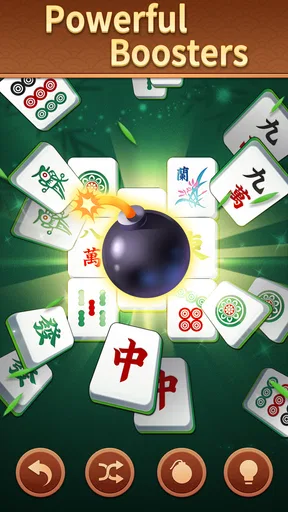
A senior-focused mahjong game commonly includes assistance features such as hints, tile highlighting, undo options, reshuffling, or layouts with different levels of complexity. These tools can make the experience less frustrating when no obvious pair is available. The exact selection may differ by version, and some assistance features could be limited by ads, in-app purchases, or the rules of a particular stage.
Is Toki Mahjong Games For Seniors free to download, and does it contain ads?
The application may be available as a free download, but free versions of casual puzzle games often include advertising, optional purchases, or both. Ads may appear between rounds, on menus, or when requesting extra hints. Before downloading, review the current Google Play or App Store listing for pricing, advertising information, age rating, and in-app purchase details. Also check whether a paid or ad-free option is offered.
Play our best games!


